Google My Business Delhi — also known as Google Business Profile — is the single most powerful free marketing tool available to Delhi businesses. When someone searches "plumber near me" or "dentist Dwarka", the businesses that appear in the top 3 local results (the "local pack") receive the vast majority of calls. This guide shows you exactly how to get there.
Most Delhi businesses have incomplete, outdated, or completely unoptimised Google profiles. That is your competitive opportunity. Implement these 7 steps this weekend and start seeing results within weeks. For official guidance, refer to Google's Business Profile Help Centre and Google's Local SEO documentation.
5xMore local customers
42%More direction requests
35%More website clicks
FreeZero cost to use
Step 1: Complete Your Google My Business Delhi Profile to 100%
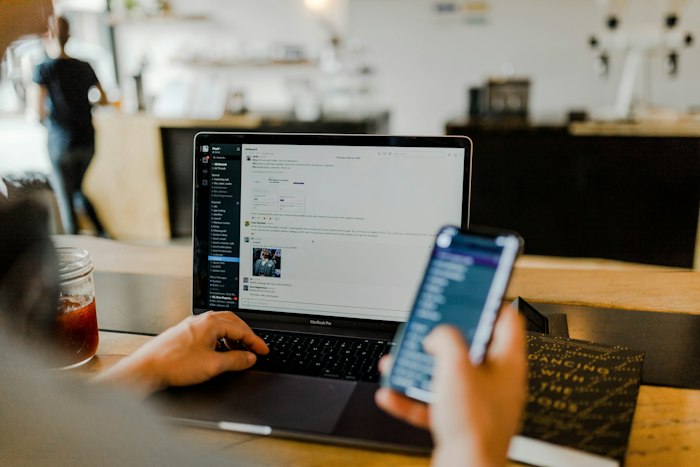
Google's algorithm explicitly rewards completeness. An incomplete profile signals that a business is not active or engaged. Fill in every available field — Google shows you a completion percentage and highlights what's missing. Target 100%.
- Business Name: Exactly as it appears on your signage, letterhead, and legal documents — no keyword stuffing
- Primary Category: The single most important ranking factor — choose the most specific, accurate primary category. Add 2–3 secondary categories
- Address: Full address including area name and pincode, with the map pin correctly placed
- Phone Number: Your primary Delhi number — use the same number consistently across all directories
- Website URL: Link to the most relevant page, not always the homepage
- Business Hours: Set separately for weekdays, weekends, and public holidays — incorrect hours damage trust
- Business Description: Use all 750 characters — include your main services, areas you serve, and what makes you different
📝 Description Template for Delhi Businesses:
"[Business Name] is Delhi's trusted [service/product] provider, located in [area]. We offer [key service 1], [key service 2], and [key service 3] — serving customers across [Delhi areas]. [Unique selling point, e.g. '10+ years experience' or '500+ happy clients']. Contact us for a [free consultation/quote/visit]. Open [days and hours]."
Step 2: Photos — The More, the More Visible

Google data is unambiguous: businesses with photos receive 42% more direction requests and 35% more website click-throughs than those without. Photos are not optional decoration — they are an active ranking signal and a conversion driver. Google also considers freshness: businesses that regularly add new photos are seen as more active and rank higher.
- Logo: High resolution, transparent or white background, square format
- Cover Photo: Your best first impression — shop front, team, or your best product/service shot. 1024×575px minimum
- Exterior Photos: Multiple angles, daytime and evening, showing your exact location on the street
- Interior Photos: Clean, well-lit, welcoming — shows customers what to expect
- Team Photos: Professional but approachable — builds human trust before the first call
- Work in Progress / Products: Before-and-after shots, products clearly visible, services being delivered
- Happy Customers: With written permission — the most powerful social proof you can display
✅ Consistency Target: Add at least 4–5 new photos every month. Fresh photo uploads signal active business management — a direct local ranking factor.
Step 3: Google Reviews — Your Biggest Competitive Weapon

Reviews are the most important local SEO factor — both the quantity of reviews and the overall star rating directly influence your ranking. A Delhi business with 50+ reviews and a 4.5+ average consistently outranks competitors with fewer, lower-rated reviews — regardless of other SEO factors. Start building your review count immediately.
Smart Ways to Ask for Reviews
- Send a personalised WhatsApp message with your Google Review link 30 minutes after completing a service — this is the optimal timing when the positive experience is freshest
- Print a QR code on bills, receipts, visiting cards, and packing materials that links directly to your review page
- Include a review request in your email signature with a clear call to action
- Ask in person at the end of a positive interaction — a simple "It would mean a lot if you could leave us a Google review" works remarkably well
- Offer to help customers who are not tech-savvy — show them how to leave a review on their phone
How to Respond to Reviews (Critical for Rankings)
Responding to reviews is itself a ranking signal — and it visibly demonstrates your customer service standards to anyone reading your profile. Respond to every review, positive and negative, within 48 hours.
- Positive reviews: Personalised, specific thank-you. Use the customer's name. Reference something specific they mentioned. This shows you read every review
- Negative reviews: Acknowledge calmly, apologise sincerely, offer a resolution — publicly. Never get defensive or argue. Other potential customers are reading your response
- Include keywords naturally: Responding with "Thank you for choosing [Business Name] for your [service] in [area]" subtly includes local keywords in your profile content
Step 4: Google Posts — Free Prime Advertising Space
Google Posts appear directly in your business profile in search results — completely free prime real estate that extremely few Delhi businesses use. This is one of the easiest competitive advantages available to you right now. A business that posts weekly appears more active, more relevant, and more trustworthy than one that never posts.
- Offers: Discount campaigns, seasonal deals, limited-time promotions — always include a clear expiry date
- Updates: New services launched, facility upgrades, new team members, business milestones
- Events: Workshops, open houses, special sales events, community involvement
- Products: Feature your key products with images and descriptions
- Optimal frequency: 1–2 posts per week — consistency matters more than volume
- Include a clear CTA in every post: "Call Now", "Book a Free Consultation", "WhatsApp Us"
Step 5: Q&A Section — Control Your Own Narrative
Anyone — including competitors — can ask questions in the Q&A section of your Google Business Profile. And anyone can answer them. If you don't proactively populate this section yourself, it will be filled with unanswered questions, incorrect information from well-meaning strangers, or questions from competitors designed to confuse your customers. Take control of it immediately.
- "What are your charges/prices?" — Answer with a starting range to set expectations
- "Do you offer home delivery or home service?" — Critical for service businesses
- "Is parking available at your location?"
- "What payment methods do you accept?" — UPI, cards, cash, EMI etc.
- "Do you offer emergency/same-day service?"
- "Are you open on Sundays / public holidays?"
Step 6: Products and Services Section
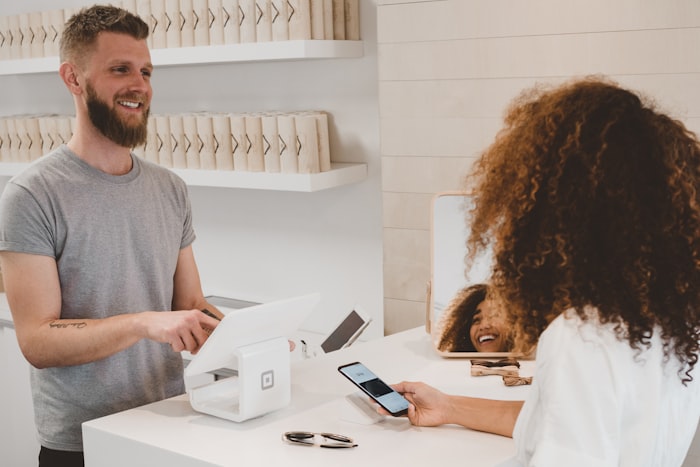
Adding your main products and services to your Google Business Profile enables "zero-click" conversions — potential customers see your key offerings directly in the search result without needing to visit your website. This is a significant advantage in Delhi's mobile-first search environment where users often make decisions based on what they see in the search results alone.
- Add your top 5–10 services with descriptions of 100–200 words each
- Include price ranges where possible — transparent pricing increases qualified enquiries
- Add category-specific images to each service — visual reinforcement of quality
- Use naturally keyword-rich service names: "Emergency Plumbing Services Delhi" rather than just "Plumbing"
Step 7: Special Attributes — Stand Out in the Local Pack
Google provides category-specific attributes that make your listing stand out visually in search results. These small details are often the deciding factor when a potential customer is choosing between two similar businesses in Delhi.
- Payment methods: UPI (Paytm, PhonePe, Google Pay), credit/debit cards, cash, EMI — list them all
- Accessibility: Wheelchair accessible premises (if applicable) — builds inclusive brand image
- Language: Hindi-speaking staff — highly relevant for Delhi audiences
- Delivery: Home delivery available (with service area specified)
- Online booking: Links to your appointment booking system or calendar
- Wi-Fi available (for cafes, coworking spaces, clinics)
🏆 Weekend Action Plan: Complete all 7 steps this weekend — it takes approximately 4–6 hours total. Results in local rankings typically start appearing within 2–4 weeks. This is the single highest-ROI free marketing activity available to any Delhi business right now.
❓ How long does it take to rank in Google's local pack for Delhi searches?
With a fully optimised profile and active review collection, Delhi businesses typically see local ranking improvements within 2–4 weeks. Reaching the top 3 local pack consistently takes 1–3 months of active profile management. The competitive intensity varies by area and category — medical, legal, and education niches in South Delhi are the most competitive.
❓ Is Google Business Profile really free for Delhi businesses?
Yes — completely free. Creating a profile, adding photos, collecting reviews, publishing posts, adding products, and appearing in local search results all cost nothing. It is one of the highest-ROI digital marketing tools available, and many Delhi businesses leave it significantly underutilised.
Google Business Profile optimisation is a one-time foundation with ongoing maintenance that pays dividends for years. If you want expert help — including profile setup, review management, posting, and monthly rank tracking — DigitalDronix offers complete Google Business Profile management for Delhi businesses, with measurable results guaranteed.
Get a FREE Google Business Profile Audit
We'll check your profile against all ranking factors and tell you exactly what to improve — free, no obligation required.
📍 Book FREE GMB Audit