
digitaldronix.com

Website Design Mistakes Delhi Businesses Must Avoid – 7 Costly Errors | DigitalDronix
Website design mistakes that cost Delhi businesses customers 2025
🖥 Website Design

Website Design Mistakes Delhi Businesses Must Avoid — Top 7 Costly Errors

The most common website design mistakes Delhi businesses make are costing them real customers every single day. Your website is your 24/7 online showroom, sales representative, and first impression — all in one. As a professional website maker in Delhi, DigitalDronix has audited thousands of Delhi business websites, and the same critical mistakes appear repeatedly. If your website has even one of these, you are losing customers every single day.

The good news: every mistake on this list has a clear, practical fix — many of which cost nothing to implement. For benchmarks, refer to Google's Core Web Vitals guide and Google Search Console to track your site's performance.
80%+India internet users on mobile
53%Leave if site takes 3+ seconds
38%Won't trust an ugly website
0.05sTime to form first impression

1. Website Design Mistake Delhi Businesses #1: Not Being Mobile-Friendly

Mobile-friendly website design for Delhi businesses responsive

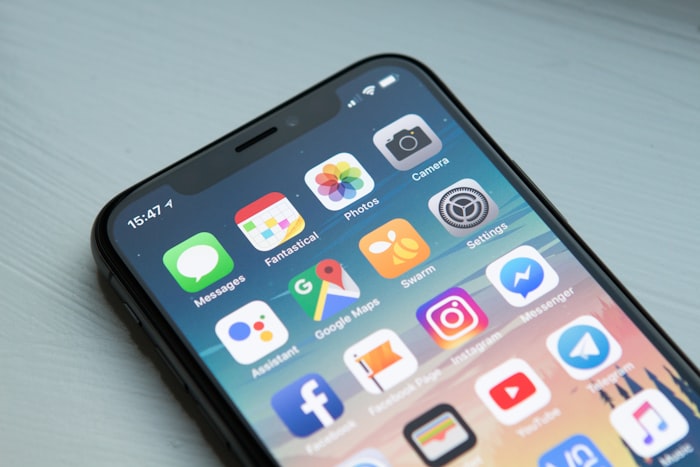
Over 80% of internet users in India browse exclusively from their phones. If your website was built for desktop — overlapping elements, tiny text, impossible-to-tap buttons, horizontal scrolling — you are actively driving away the vast majority of your potential customers before they even read your first line of content.

Google has switched to Mobile-First Indexing, meaning it ranks your website based primarily on its mobile version. A desktop-only website is not just a user experience failure — it is an active SEO penalty. Check your website right now on your phone and ask yourself: would you stay on this page?
  • Buttons must be at least 44×44px — large enough to tap comfortably with a thumb
  • Text must be readable at default size without zooming in
  • All content must be accessible without horizontal scrolling
  • Forms must be easy to fill on a small screen — fewer fields, larger inputs
  • Phone numbers must be clickable — a tap-to-call link is essential for Delhi customers
✅ Fix: Switch to a responsive WordPress theme (Astra or GeneratePress are excellent and free). If your website is custom-built, have your developer implement responsive CSS media queries. Test on multiple devices before launching any changes.

2. Slow Loading Speed

Website speed optimisation loading time Delhi Google PageSpeed

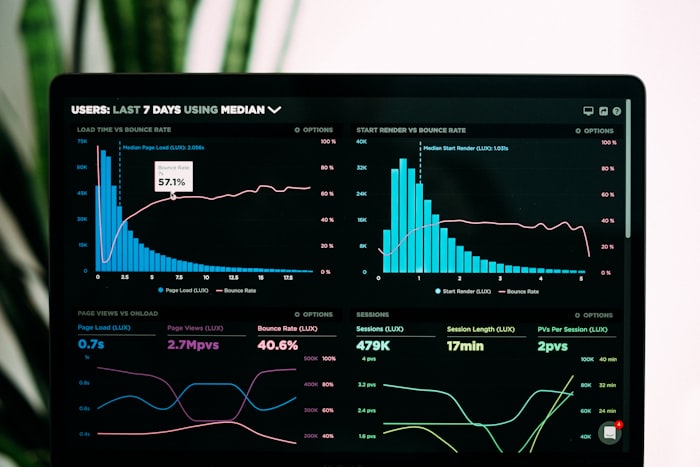
Google's own research confirms it: if a website takes more than 3 seconds to load, 53% of mobile visitors leave immediately. Delhi's busy, impatient audience has zero tolerance for slow-loading pages — and Google penalises slow websites with lower rankings. You lose potential customers twice: once through bounce rate, once through reduced search visibility.

The most common culprits for slow Delhi business websites: uncompressed images (the single biggest factor), cheap shared hosting, too many active WordPress plugins, no caching configured, and no CDN (Content Delivery Network). A single uncompressed hero image can add 4–6 seconds of load time.

  • Target a Google PageSpeed Insights score of 85+ on mobile (90+ is the goal)
  • Compress all images to under 100KB where possible without visible quality loss
  • Upgrade from cheap shared hosting to quality managed hosting (Hostinger Cloud, SiteGround, or Cloudways)
  • Implement a caching plugin: LiteSpeed Cache (free and excellent), WP Rocket (premium)
  • Remove plugins you don't use — each adds database queries and slows your site
✅ Fix: Run your website through Google PageSpeed Insights right now. The tool will tell you exactly what's slowing you down and the specific actions to take — all for free.

3. No Clear Call-to-Action (CTA)

CTA button design website conversion rate optimisation Delhi

A visitor lands on your website — and then what? If you haven't clearly, immediately, and visually told them exactly what to do next, they get confused and leave. That moment of confusion — "where do I click?", "how do I contact them?" — costs you a potential customer every single time it happens.

Research shows you have approximately 5–7 seconds to communicate your value and guide the visitor to their next action before they bounce. Your CTA must be: visible without scrolling (above the fold), high-contrast against the background, direct and action-oriented, and repeated at logical intervals throughout the page.

  • Primary CTA should be visible within the first screen on every device — no scrolling required
  • Use high-contrast colours: blue, green, or orange CTAs on white/light backgrounds
  • Direct language works best for Delhi audiences: "Call Now", "WhatsApp Us", "Get a Free Quote"
  • Include a secondary CTA for visitors not ready to contact: "Read Our Reviews", "See Our Work"
  • Add a sticky WhatsApp floating button — Delhi customers strongly prefer WhatsApp contact
✅ Fix: Add a prominent WhatsApp button and a phone number button visible on every page. On mobile, these should be sticky (always visible even when scrolling). This single change can increase enquiries by 40–60%.

4. Outdated or Unprofessional Design

Users form a judgment about your website's trustworthiness in just 50 milliseconds — before reading a single word. An outdated design — old-fashioned fonts, clashing colours, low-resolution images, cluttered layout — communicates unprofessionalism instantly, even if your service is excellent.

In competitive Delhi markets where customers compare 3–5 businesses before deciding, a modern, professional website is often the difference between getting the call and being ignored. Your website does not need to be the most beautiful — but it must be clean, credible, and current.

✅ Fix: At minimum, ensure consistent brand colours throughout, professional high-quality images (Unsplash for free stock, or invest in product photography), clean typography (one serif + one sans-serif), and adequate white space. Conduct an annual design review — trends move quickly.

5. Contact Information Buried or Hidden

Contact information website header phone WhatsApp Delhi business

Delhi customers strongly prefer to call or WhatsApp before committing to a purchase or service. If your phone number is buried in a footer or hidden on a Contact page that requires 3 clicks to find, the frustrated customer will do exactly one thing: go to a competitor whose number is front and centre on the very first screen.

This is one of the simplest mistakes to fix and one of the highest-impact changes you can make. Your contact information should be visible without any searching — not because customers can't find it, but because friction reduces conversions, and every extra step you require costs you enquiries.

  • Phone number in the header, visible on every single page and every device
  • WhatsApp button — sticky, floating, always visible when scrolling
  • Click-to-call links on mobile: tel:+919XXXXXXXXX
  • Repeat contact information in the footer and mid-page on longer pages
  • If you serve specific Delhi areas, mention them near your contact info — builds local trust
✅ Fix: Add your mobile number to the top navigation bar — right-aligned, in a contrasting colour. Enable click-to-call on mobile. Add a floating WhatsApp icon. These three changes take under 30 minutes and will immediately increase inbound enquiries.

6. Completely Ignoring SEO

You invested in a beautiful, well-designed website — but nobody can find it on Google. Without SEO, your website exists in complete digital darkness. It is like opening a brilliant shop in a hidden alley with no signs: everything inside is perfect, but no customers ever walk in because they simply don't know you exist.

Basic on-page SEO does not require an agency or technical expertise. The fundamentals — descriptive page titles, meta descriptions, proper headings, image alt text, and a Google Business Profile — can be implemented by anyone with a WordPress website and 2–3 hours of learning time.
  • Install Yoast SEO or Rank Math (both free) — they guide you through optimising every page
  • Write unique, descriptive title tags for every page — include your main keyword and city
  • Write compelling meta descriptions for every page — this is your "ad copy" in search results
  • Submit your website to Google Search Console — it tells you exactly how Google sees your site
  • Claim and optimise your Google Business Profile — essential for local Delhi searches
✅ Fix: Start with Google Search Console (free) — set it up today. It will show you what keywords people use to find you, which pages have issues, and what Google thinks of your site. No other tool gives you this level of insight, and it costs nothing.

7. No Trust Signals

Customer reviews testimonials trust signals Delhi business website

Reviews, testimonials, client logos, case studies, certifications, press mentions, awards — these are trust signals. In a competitive Delhi market where customers cannot physically verify your quality before engaging, social proof is what converts a sceptical visitor into a paying customer.

The psychology is straightforward: "Others used this service and had a great experience, so I should too." First-time visitors know nothing about you and have every reason to be sceptical. Trust signals systematically dismantle that scepticism. A website without them is asking for blind trust — which most people won't give.

  • Embed a live Google Reviews widget — shows real, verified reviews with no manual updating
  • Add video testimonials from real clients — video is 6x more persuasive than text
  • Create a client logos section — even 5–6 recognisable client names significantly increases trust
  • Case studies: "This Delhi business had X problem. We did Y. Results: Z." — extremely powerful
  • Industry certifications, awards, and press mentions — display them prominently
  • Show your team — faces build trust; anonymity breeds scepticism
⚠️ Honest Self-Audit: Open your own website right now on your phone. Ask yourself honestly: would a complete stranger — who has never heard of you — look at this website and feel confident enough to call you? If the answer is "probably not", you know exactly what to prioritise.

✅ Quick Website Fix Checklist for Delhi Businesses

  • Check mobile view — does it look professional on all phone sizes?
  • Run Google PageSpeed Insights — aim for 85+ score
  • Add a WhatsApp floating button (free plugins available)
  • Put phone number in header — visible without scrolling
  • Install Yoast SEO — write meta titles and descriptions for all pages
  • Add at least 5 genuine customer testimonials with names and photos
  • Create or update your Google Business Profile
  • Add Google Reviews widget to homepage
  • Compress all images using TinyPNG or ShortPixel
  • Set up Google Search Console and Google Analytics 4

Does your website have any of these issues? As Delhi's leading website maker, DigitalDronix offers a FREE, comprehensive website audit — we will show you exactly what needs fixing and what the estimated impact on your enquiries will be. No sales pressure, just honest recommendations.

Get Your FREE Delhi Website Audit

We'll tell you exactly what's costing you customers and what to do about it — completely free, zero obligation.

🔍 Book FREE Website Audit
Scroll to Top